How to Use the Random String Generator
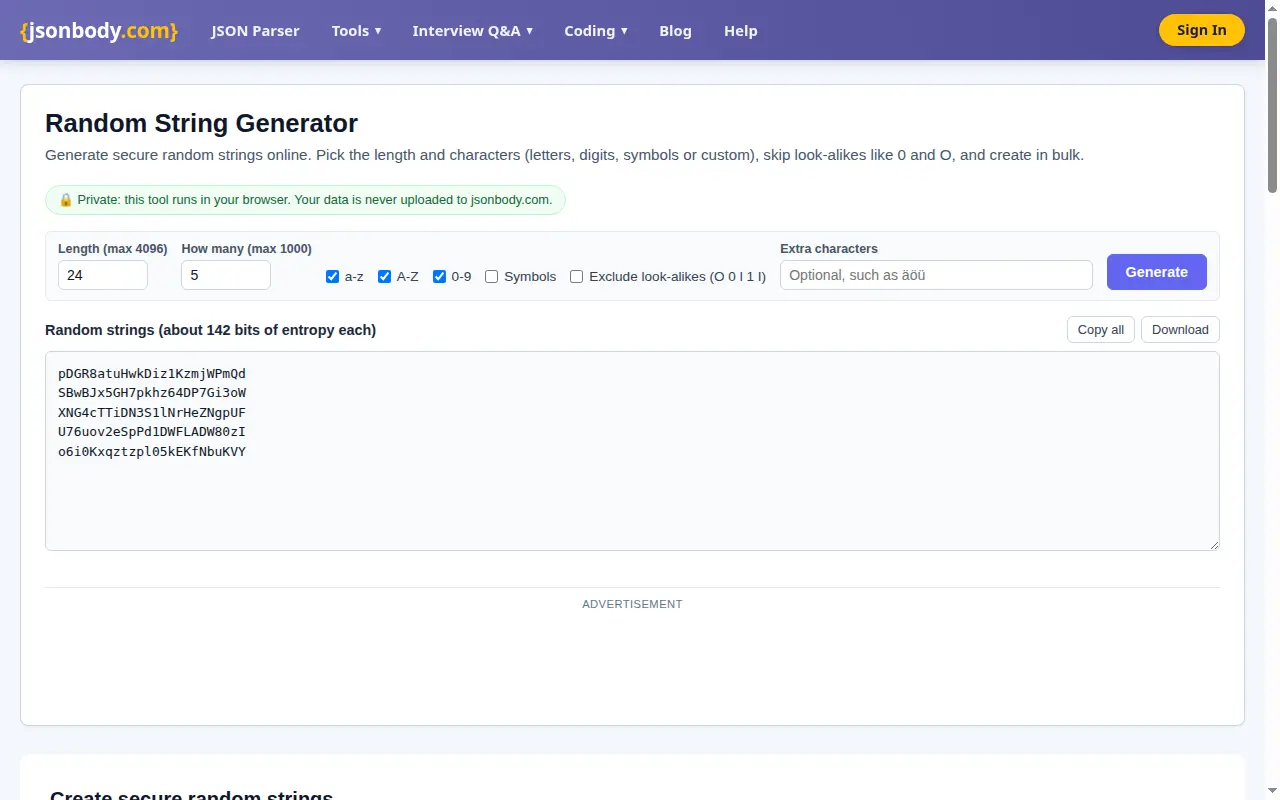
How to use the free Random String Generator, step by step with a screenshot: Set the Length and How many. Free and private.
Loading…
Open the Random String Generator
Steps
- Set the Length and How many.
- Pick character sets: a-z, A-Z, 0-9 and Symbols, or add Extra characters.
- Turn on Exclude look-alikes to avoid O, 0, l, 1 and I.
- Click Generate, then Copy all.