How to Format JSON and Fix Common JSON Errors
Pretty-print JSON in seconds and fix the errors that break it most often: trailing commas, single quotes, unquoted keys, comments and more, with examples.
By jsonbody.com Team ·
Minified JSON from an API is hard to read, and a single misplaced character makes the whole document invalid. This guide shows how to format JSON in seconds, then walks through the seven errors that break JSON most often, with the fix for each.
How to format JSON online
- Open the free JSON Parser and paste your JSON into the Input JSON editor.
- Click Format. The JSON is pretty-printed with indentation in the Formatted JSON editor.
- Click Sort to order keys alphabetically, or Minify to shrink it back to one line.
- Use the copy icon to copy the result.
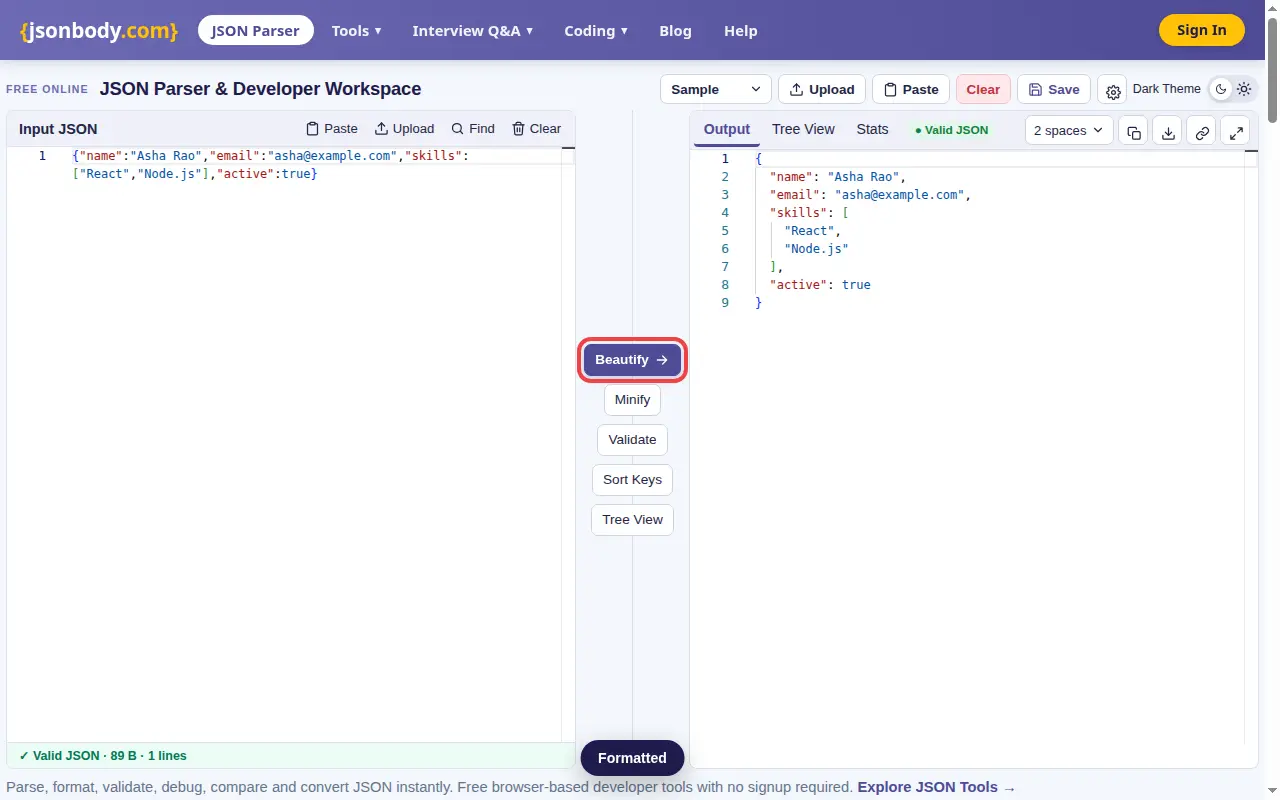
Formatting happens in your browser, so your data is not uploaded. The step-by-step formatting guide has a screenshot of every step. For a dedicated beautifier, try the JSON Formatter; to explore a large response as a collapsible tree, use the JSON Viewer.
The 7 most common JSON errors
JSON is strict. Each of these is valid in JavaScript but invalid in JSON.
1. Trailing commas
A comma after the last item in an object or array is not allowed.
{ "name": "Asha", "roles": ["admin", "editor",], }Remove the comma before every ] and }.
2. Single quotes
Strings and keys must use double quotes. {'name': 'Asha'} is invalid; {"name": "Asha"} is valid.
3. Unquoted keys
Every key must be a double-quoted string. { name: "Asha" } fails; write { "name": "Asha" }.
4. Comments
JSON has no comments. Remove // ... and /* ... */ lines, or keep notes in a field such as "_comment". If you need comments in a config file, YAML supports them; see JSON vs YAML vs XML.
5. Unescaped characters in strings
Double quotes, backslashes and line breaks inside a string must be escaped as \", \\ and \n. The JSON Escape / Unescape tool does this for you.
6. Invalid values
undefined, NaN, Infinity and functions are not JSON values. Use null, a number or a string instead. Numbers cannot have leading zeros or a leading +.
7. Missing commas or brackets
A missing comma between items, or a { without its }, is the hardest error to spot in long documents. The JSON Validator shows the parser's message so you can find the problem.
Quick checklist before you send JSON
- Double quotes around every key and string.
- No trailing commas and no comments.
- Every
{and[has a matching}and]. - Special characters in strings are escaped.
- The document passes the JSON Validator.
Keep going
- Save formatted JSON to your account and share it with a link.
- Generate TypeScript types from it with JSON to TypeScript.
- Preparing for interviews? Read the JavaScript interview questions.