How to Use the Base64 Encoder/Decoder
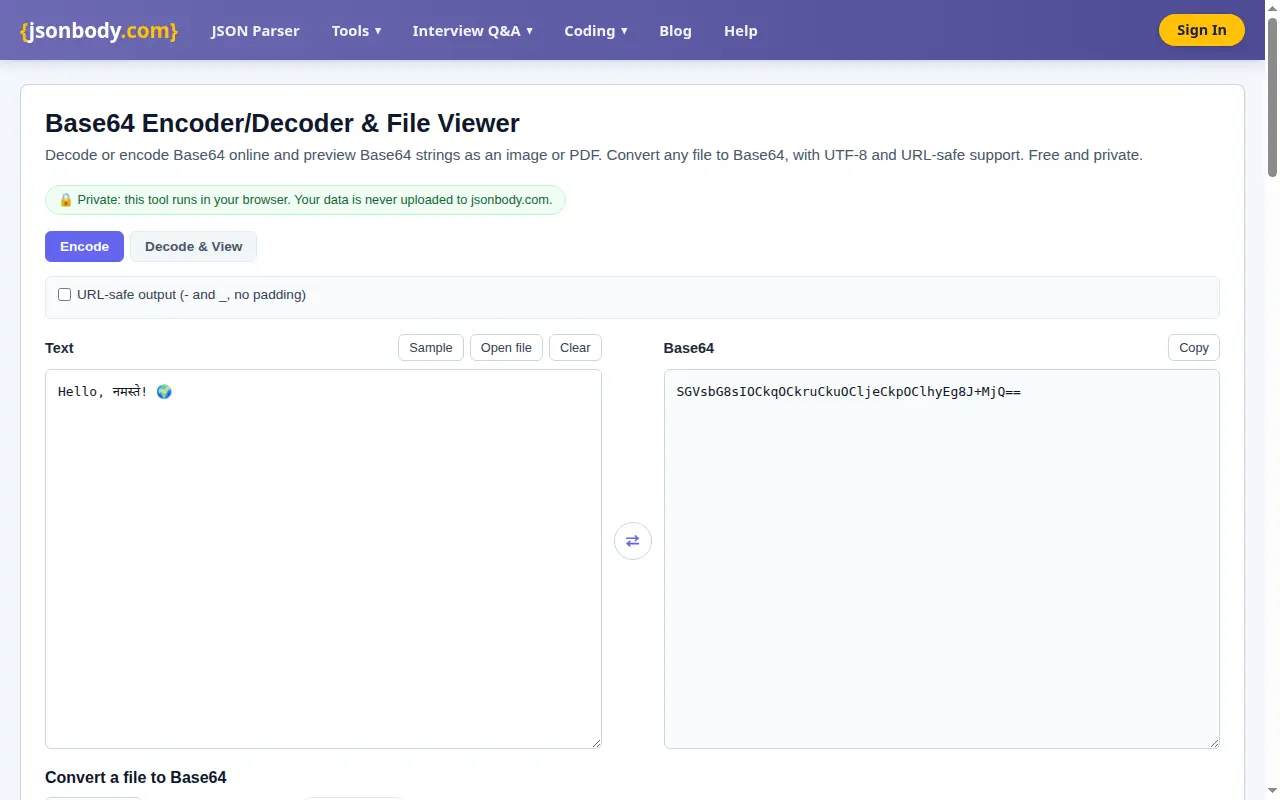
How to use the free Base64 Encoder/Decoder, step by step with a screenshot: Choose Encode or Decode & View. Free and private.
Loading…
Open the Base64 Encoder/Decoder
Steps
- Choose Encode or Decode & View.
- Paste text or Base64. Decoded images and PDFs are previewed.
- To turn a file into Base64, use Choose a file under Convert a file to Base64.
- Copy the result or Download file.
Tips
- Turn on URL-safe output for Base64 that is used in URLs or JWTs.